How
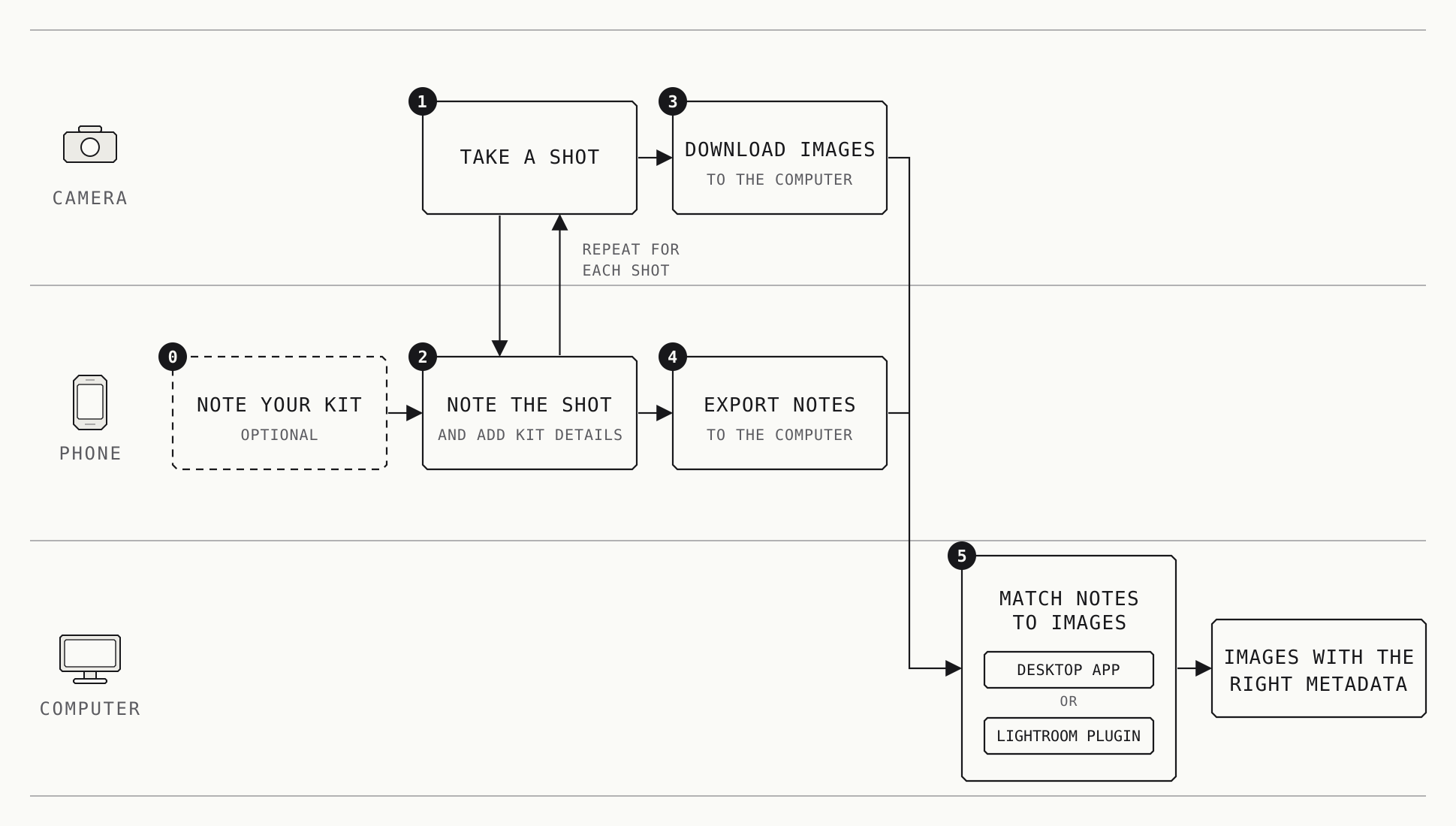
Here’s your workflow with Shot Notes:
- On Shot Notes, record metadata, especially aperture, lens, the focal length you used, other accessories, notes, and the time and place for every shot you take on your camera.
- After you download your images, export your notes to the computer.
- Using the desktop app or the Lightroom plugin for Shot Notes, match the notes to the images, and voilà, you have the correct metadata for each image!
Shot Notes also lets you search and filter your notes based on various criteria (e.g., date, location, lens), making it easy to find and export the information you need.